
🔹 What This Guide Covers
In Korea, NAVER Map is the most widely used app for navigating between places. When you enter your departure point and destination, NAVER Map provides multiple route options based on available transit paths—mostly buses and subways—so you can choose the most practical route for your situation.
This guide focuses on the app’s core navigation feature, so you can quickly find a practical route from your starting point to your destination using public transportation.
📝 Other NAVER Map app features will be covered on separate pages.
✅ Step 1: Download Naver Map
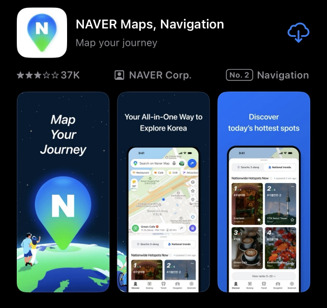
- If you are using an iPhone, download Naver Map from the App Store.
- If you are using a Galaxy or other Android device, download Naver Map from the Google Play Store.
Make sure you download the official app called “NAVER Map”.
✅ Step 2: Basic Setup Before You Navigate
Before your first route search, complete these two settings:
1. Allow location access so NAVER Map can accurately detect your current location.
(You can refer to the screenshot for this step.)

2. To use English, tab the profile icon (person symbol) → Settings → Language, then select English.
✅ Step 3: Find a Route (Example: Seoul Station → Lotte World Tower)

Now let’s run a real route search.
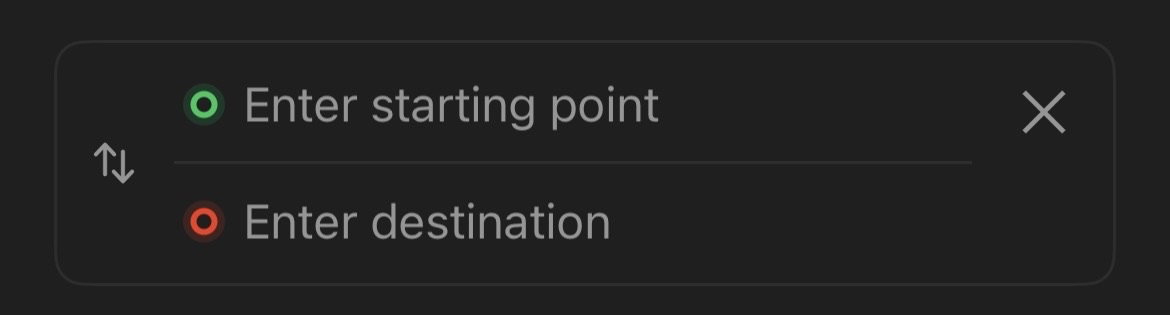
In most cases, your starting point is automatically set to your current location.
However, you can also manually set a different starting point anytime if needed.
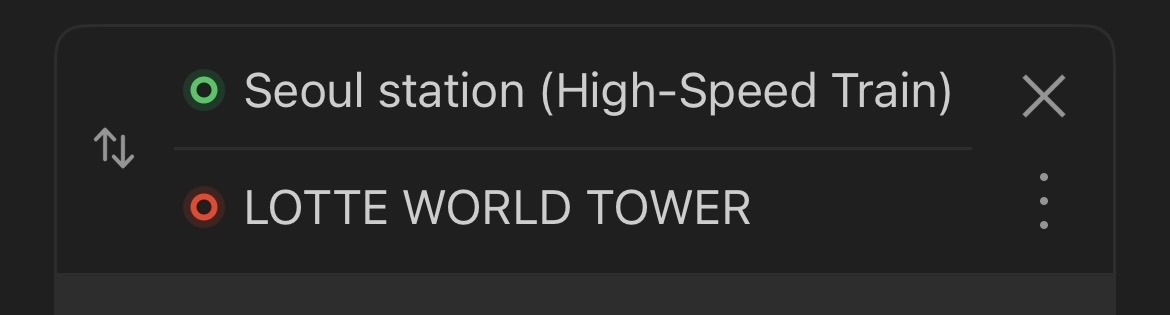
Enter your starting point as Seoul Station and your destination as Lotte World Tower, then tap search.
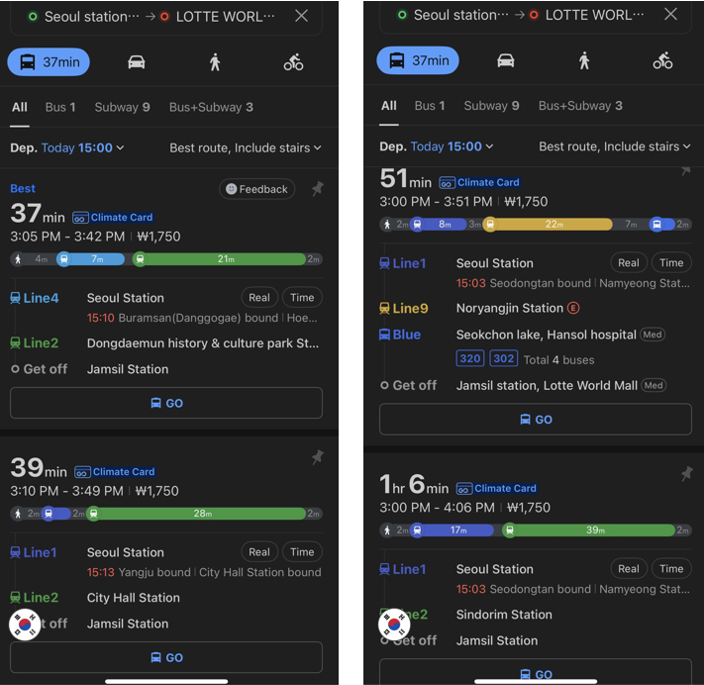
NAVER Map will show multiple public transportation routes (mostly bus/subway combinations) to help you reach the same destination in different ways.
When comparing options, focus on these first:
- Total travel time
- Number of transfers
- Walking distance between transfers
If you are new to Korea, it is usually better to choose a route with fewer transfers, even if it takes a little longer.
✅ Step 4: Set a Departure Time (If Needed)
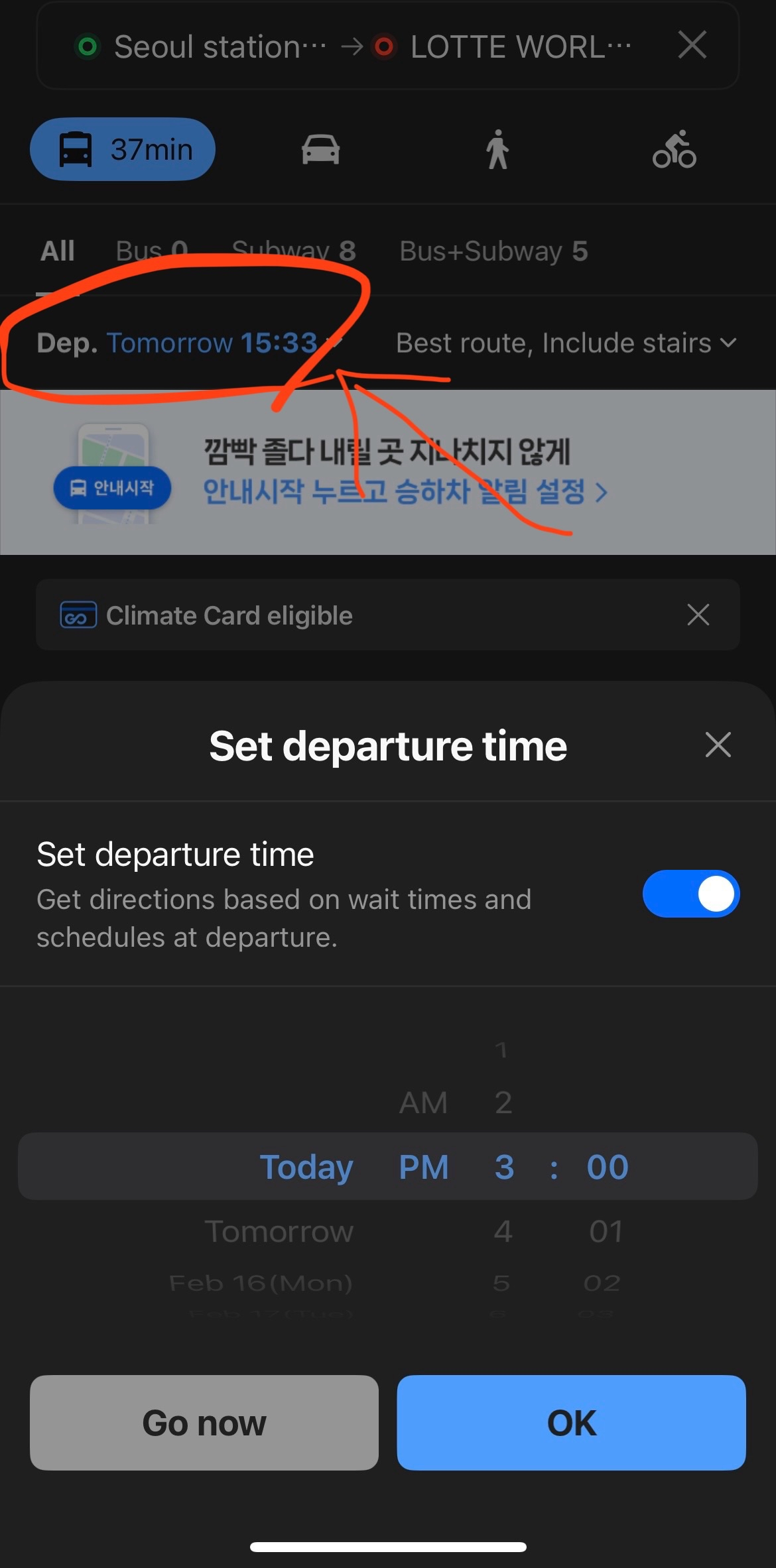
You can also use Set Departure Time to plan ahead.
This feature lets you choose a specific date and time, so route results reflect when you actually plan to leave.
It is especially useful for early morning departures, late-night trips, or time-sensitive appointments.
✅ Step 5: Understand the Route Details Screen
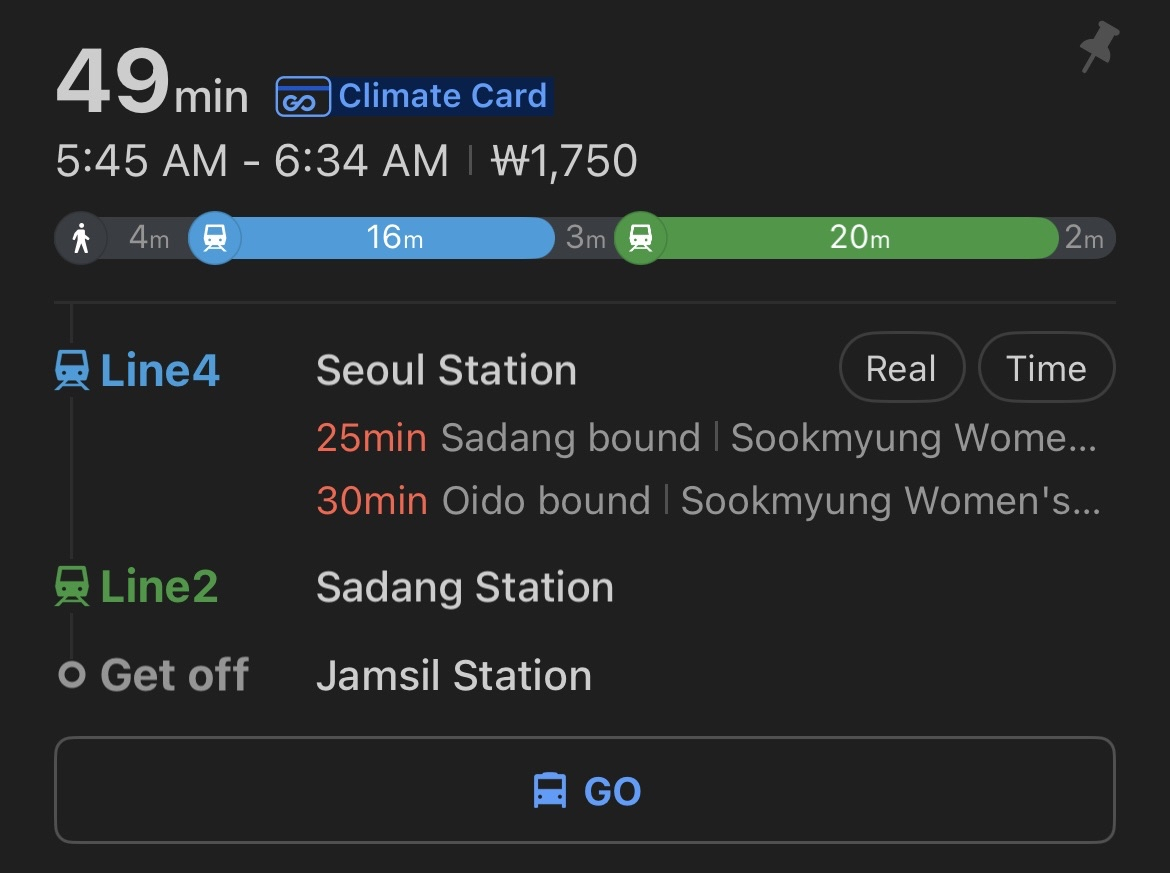
Once you’ve chosen one option from the suggested routes, tap it to see the full route details. At first it may look a little busy, but you only need to focus on five key things:
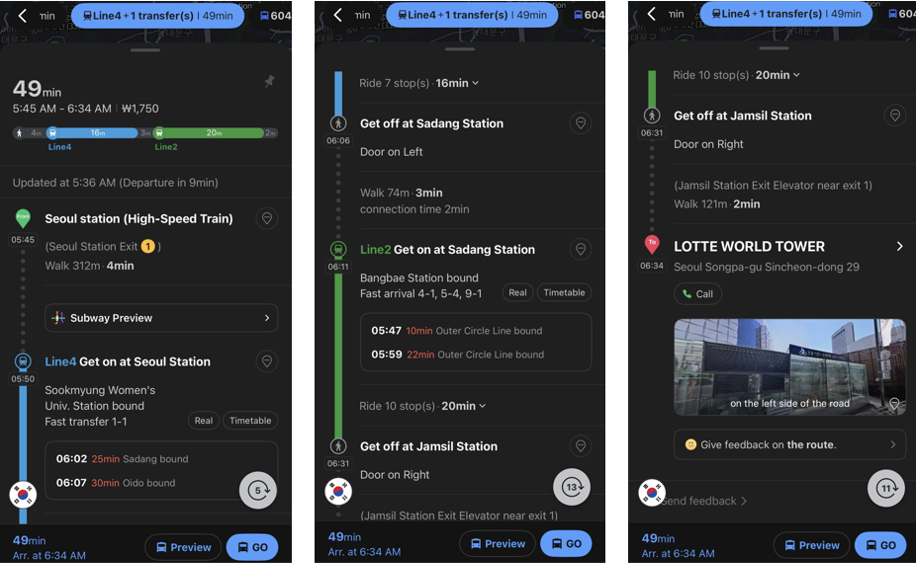
1) ⏱️ Total travel time and arrival time
At the top, you’ll usually see:
- Total duration (for this example, 49 min)
- Expected arrival time
- Estimated cost
This tells you if the route still makes sense right now, especially during rush hour.
2) 🔍 Transfer count
Look for how many times you need to transfer (e.g., 1 transfer, 2 transfers).
3) 📍 Walking sections
Any secrion drawn with a dotted line shows where and how long you need to walk :
- Walk to bus stop/subway station
- Walk between transfer points
- Walk from final stop to destination
If you have luggage, pay extra attention to walking time and station transfer distance.
4) 🚇 Bus/Subway line details
For each transit segment, check:
- Bus number or subway line name
- Direction (toward which final station/area)
- Number of stops before you get off
This is the most important part to avoid boarding the wrong line or wrong direction.
5) 💡 Real-time timing info
When available, NAVER Map may show live info like:
- Next bus arrival (e.g., 3 min / 11 min)
- Subway arrival countdown
- Delays or traffic impact
If real-time info changes, don’t panic—just tap another suggested route and compare again.
🧭 Quick tip before you start moving
Before boarding, do one last 10-second check:
- Is this the correct line/bus number?
- Is the direction correct?
- Are you getting off at the right stop/station name?
Doing this once saves you from most mistakes.
Frequently Asked Questions (FAQ)
❓ What if I miss my stop or transfer point?
A. Don’t panic—tap Re-route (or search again).
NAVER Map will generate a new route from your current location.
❓ Why does my route look different from someone else’s?
A. Route options can vary by time of day, traffic, wait times, and service conditions.
Two people searching at different times may see different “best” routes.
❓ How do I make sure I picked the correct destination?
A. Always verify the district name (gu) and nearby landmarks before starting navigation, especially for places with similar names.
❓ Should I type place names in English or Korean?
A. Both can work, but results are often more accurate with Korean place names.If English search doesn’t show the right place, copy/paste the Korean name and search again.